


Multiple copies. Clear status.
Write the same camera media to multiple independent destinations in one ingest task. Track each copy as it runs, so you can see what’s still moving, what’s complete, and what needs attention.

Only 15 Left
Our lowest price of the year
Couldn't load pickup availability
Worldwide Delivery
2-YEAR Warranty
30 DAYS Returns
Free Shipping

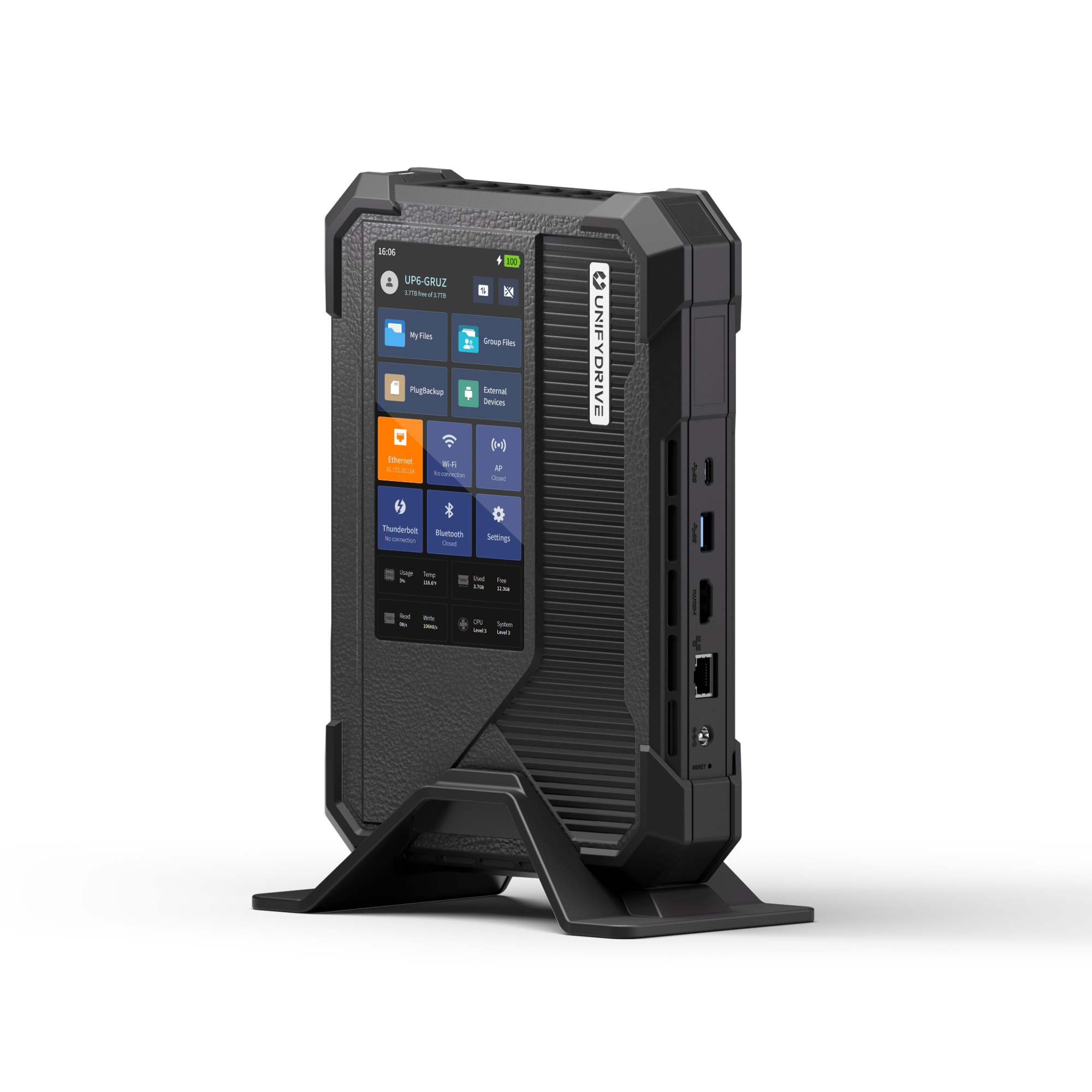
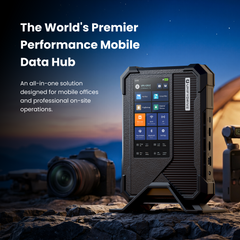
UP6 is a portable media workstation for ingesting, protecting, reviewing, and moving production media from set into post — without rebuilding the workflow at every step.
 0:00 / --:--
Once the camera stops rolling, the media still has work to go through — backup, confirmation, review, editing, and final handoff. UP6 keeps that workflow connected from camera to post.
Insert SD or CFexpress media, choose one or multiple backup destinations on the 6-inch touchscreen, and start PlugBackup directly on UP6 — to internal SSDs, connected USB storage, or both.
 0:00 / --:--
Write the same camera media to multiple independent destinations in one ingest task. Track each copy as it runs, so you can see what’s still moving, what’s complete, and what needs attention.

Once the transfer is done, the job shouldn't disappear into a finished progress bar. Keep a record of the source, destinations, and task results so completed work stays traceable after the card moves on.

Field workflows get interrupted. Losing power, swapping cables, or any interrupted transfer shouldn't cost you the work you've already offloaded. The built-in UPS adds another layer of safety when external power changes.

Your data fortress. Equipped with a built-in firewall, high-strength encryption, and a dedicated security settings panel to ensure your files remain private and protected.
From fast card turnaround to media review and final handoff, see how UP6 fits different production workflows.
Ethan Cole Wedding photographer · United StatesWedding photographer & hybrid shooter
Ethan Cole is a wedding photographer and hybrid shooter covering full days of photo and video, often moving from ceremony to reception with multiple cameras and memory cards in rotation.
As each card comes out of the camera, Ethan uses UP6 to start PlugBackup, create multiple copies, and monitor backup progress directly on the 6-inch touchscreen — keeping media protected without stopping to set up a laptop.
I need backup that keeps up with the day, not something that slows the shoot down.
Ethan Cole

Marcus Chen Commercial cinematographer & director · United StatesCommercial cinematographer & director
Marcus Chen is a commercial cinematographer and director working through fast-moving setups, where cards need to be checked and cleared quickly before the next take.
Before a card goes back into rotation, Marcus reviews footage directly on UP6 to make sure the media is there. If something has been accidentally deleted, he can view recoverable files and restore selected content on site — without leaving the workflow.
Before a card goes back, I want to know the footage is there.
Marcus Chen

Daniel Reyes Documentary filmmaker & editor · United StatesDocumentary filmmaker & editor
Daniel Reyes is a documentary filmmaker and editor taking projects from location through post, often working with the same media long after the shoot wraps.
Daniel backs up and reviews footage on set, then connects his workstation to UP6 with direct Thunderbolt for the same project. Media stays accessible through Thunderbolt or the local network without rebuilding the workflow for post.
Daniel backs up and reviews footage on set, then connects his workstation to UP6 to edit directly from the same project. Media stays accessible through Thunderbolt or the local network without rebuilding the workflow for post.
Wrap shouldn't mean rebuilding the entire data workflow.
Daniel Reyes

 0:00 / --:--
Preview photos and videos, browse files, and review media details directly on UP6's 6-inch touchscreen before a card returns to rotation. If something goes wrong, recovery tools help restore media and keep the workflow moving.
If photos or videos are accidentally deleted, stop using the card before new data overwrites them. UP6 lets you safely eject the media, view recoverable files, and restore selected content directly to local storage — no laptop or cloud required.
 0:00 / --:--

Connect your workstation directly to UP6 through 40Gbps Thunderbolt. With Thunderbolt Bridge speeds up to 2,000MB/s read and write, edit directly from media stored on UP6 — no download or local copy required.
Connect UP6 over 10GbE and mount the same project files through SMB from your workstation. Editors and other devices can access the media directly over the network without creating another working copy.

Turn on AP Mode and let UP6 create its own local wireless network. Laptops and tablets can connect directly to browse and access project media on site, keeping review and collaboration moving without internet access or an external router.


Portable storage + card reader + dock → one 1.3 kg UP6. Six M.2 NVMe bays support up to 48TB of all-flash storage.
Built-in UPS keeps UP6 running through brief power interruptions. RAID options and hardware encryption add protection against drive failure and unauthorized access.
Windows / macOS / iOS / Android. Thunderbolt 4 / 10GbE / USB / SD / CFexpress — connecting your field setup to your post-production workstation.
Approximately 1.3 kg with a built-in touchscreen, Wi-Fi hotspot, and UPS — the set is your workstation.
Local storage, on-device AI, and UDOS remote access. Manage your media locally without relying on cloud processing, and access it remotely when connected.
Start with the essentials. Expand a category only when you need the full technical detail.
At NAB 2026, we met with filmmakers, photographers, DITs, and production teams to better understand the real bottlenecks between camera media and post. Those conversations continue to shape how UP6 evolves across ingest, backup, verification, review, and workflow handoff.


Independent walkthroughs, field impressions and long-form reviews — shown with source and creator context.


A selection of creator posts, on-set moments, and media setups shared by the people using UP6.


This product is not working it won't fully boot up and the screen is on but black. I have reached out several times to unify drive and have not heard back in weeks. very disappointed with customer service.
Setup for this product is a pain. And Unifydrive doesn't really have much out there in the way of troubleshooting. The machine itself is outstanding.
It is a very good storange device a game changer in the photo and video industry. Recommend for videographer amd photographers
Ich habe das UnifydriveUP6 am 14.5.2026 gekauft und am 18.5.2026 erhalten. Ich habe nicht mit einer so kurzen Lieferzeit gerechnet.
Das Gerät selbst kommt in einer sehr hochwertigen Verpackung.
Es ist gut verarbeitet und macht einen stabilen Eindruck.
Die Inbetriebnahme war problemlos und unkompliziert (Grundkenntnisse in Englisch vorausgesetzt)
Ich habe bisher einfache Aktionen durchgeführt, die hervorragend funktioniert haben.
Wer unterwegs seine Daten sichern und Zugriff auf Projekte haben möchte, ist mit dem UP6 bestens bedient.
Ich würde es immer wieder kaufen.
the system is amazing. except the documentation is very poor. look at Synology for that. every apph there has very detailed manuals while in UP6 it is a lot of trial and error. If you are willing to invest thetimefor that, the thing is a blast.
Resolve purchase, ingest, connectivity and support questions without leaving the product story.
Still need help? Talk to a product specialist before purchase.
Thanks for subscribing!
This email has been registered!
| Product | SKU | Description | Collection | Availability | Product Type | Other Details |
|---|